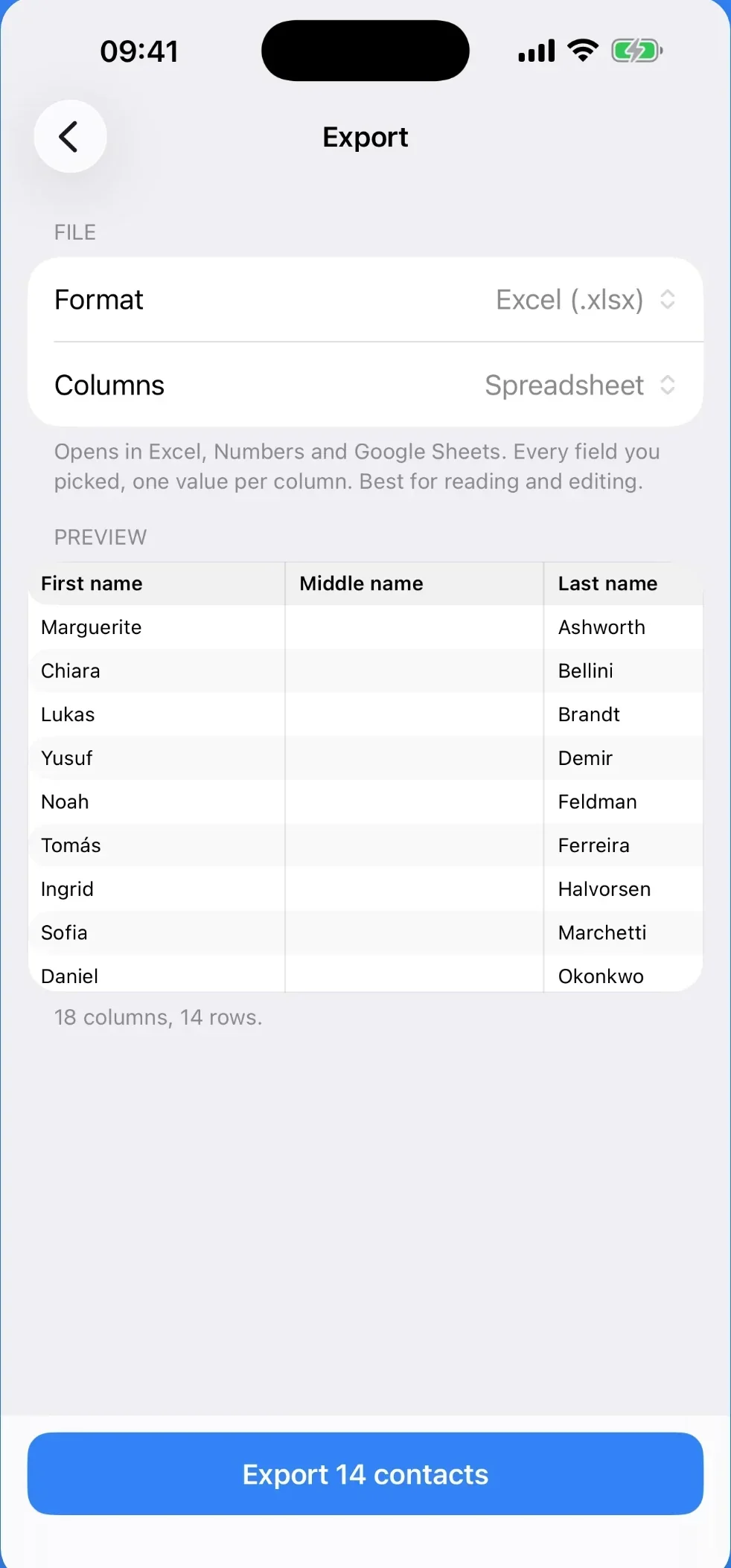
Export your iPhone contacts to Excel
Your address book becomes a real .xlsx or .csv on the phone itself. Every field in its own column, ready to open or to import into Google Contacts and Outlook.

Free for 25 contacts. $6.99 once for the rest. No subscription.
Built for whole address books: 20,000 contacts came out in 0.95 seconds in our own test, with the network off.
One column per field, not one cell with everything in it
This is where every other export falls over. A contact has several phones, each with its own label, an address made of five parts and a birthday. The file keeps them apart.
Three formats
A real Excel workbook, a UTF-8 CSV with the byte-order mark Excel wants, or a vCard back out again.
Google and Outlook columns
Their exact header names, taken from each vendor's own import documentation, so the file imports without renaming anything.
Nothing leaves the phone
The app has no accounts, no analytics and no servers. Turn on airplane mode and export anyway: it has no networking code at all.
Already have a .vcf file? Convert it here, free
Drop it below and your browser writes the spreadsheet on this page. Nothing is uploaded. Turn off your Wi-Fi first and it still works. This page writes a readable table; the exact Google and Outlook columns are the app's job. More about the format, and what it takes to read it properly.
Your .vcf file
BEGIN:VCARD
VERSION:3.0
N:Ashworth;Marguerite;;;
ORG:Ashworth Letterpress
item1.TEL;type=pref:+1 555 0142
item1.X-ABLabel:_$!<Mobile>!$_
item2.TEL:+1 555 0187
item2.X-ABLabel:studio
EMAIL;type=INTERNET;type=WORK:m@example.com
ADR;type=HOME:;;41 Prospect St;Providence;RI;02906;USA
BDAY:1979-03-08
END:VCARD
BEGIN:VCARD
VERSION:3.0
N:Okonkwo;Ada;;;
ORG:Harbour Freight Co
TEL;type=CELL:+44 20 7946 0031
TEL;type=WORK:+44 20 7946 0032
EMAIL;type=INTERNET;type=WORK:ada@example.co.uk
ADR;type=WORK:;;2 Oak Avenue;Bristol;;BS1 4DJ;United Kingdom
END:VCARD
BEGIN:VCARD
VERSION:2.1
N:Ferreira;Tomás;;;
TEL;CELL:+351 912 000 000
EMAIL;INTERNET:tomas@example.pt
ADR;HOME:;;Rua das Flores 12;Porto;;4050-262;Portugal
BDAY:1988-11-02
END:VCARD
What comes out. 16 columns, scroll sideways
| First name | Last name | Company | Phone 1 | Phone 1 Type | Phone 2 | Phone 2 Type | Email Type | Address Type | Street | City | State | ZIP | Country | Birthday | |
|---|---|---|---|---|---|---|---|---|---|---|---|---|---|---|---|
| Marguerite | Ashworth | Ashworth Letterpress | +1 555 0142 | mobile | +1 555 0187 | studio | m@example.com | work | home | 41 Prospect St | Providence | RI | 02906 | USA | 1979-03-08 |
| Ada | Okonkwo | Harbour Freight Co | +44 20 7946 0031 | mobile | +44 20 7946 0032 | work | ada@example.co.uk | work | work | 2 Oak Avenue | Bristol | BS1 4DJ | United Kingdom | ||
| Tomás | Ferreira | +351 912 000 000 | mobile | tomas@example.pt | home | Rua das Flores 12 | Porto | 4050-262 | Portugal | 1988-11-02 |
A sample card is shown. Drop your own .vcf
anywhere on this panel, or choose it.
One value per column. Phone numbers stay text, so leading zeros and plus signs survive, and your own labels survive too. The converter is one readable file if you want to check that it never sends your contacts anywhere.
The two pages under this one
The .vcf converter has its own page, with the awkward parts of the format written out: quoted-printable text from older phones, values folded across several lines, the separate label lines an iPhone writes for every number, and why an online converter that runs on a server needs your address book on that server.
Getting the file out of an iPhone is the other half, and it is not obvious: iOS shares one contact at a time and sends the whole address book through a computer. Four routes exist. That page lays out all of them, what each one costs, and which fields tend to come out broken, including the free routes that do not need us at all.
Export the address book you are holding
Free for 25 contacts. $6.99 once. No subscription.